
Keys and Wheel
Keybinds
| Key | Default | Action |
|---|---|---|
| Toggle Cultivation Mode | C | Starts or stops cultivating |
| Open / Close Character Information | Z | Opens the character information panel |
| Swap Main Hand with Back Weapon Slot | unbound | Swaps the main hand stack with the first back_weapon Curios slot See Curios Slots for the slot rules the swap follows |
| Edit HUD Layout | right Shift | Opens the layout editor for movable HUD elements |
| Wheel Select | R | Opens the wheel that picks an ability or spirit power |
| Wheel Use | V | Uses the selected ability or spirit power |
| Wheel Previous / Next Page | ← / → | Turns pages in the wheel screen, switching between the main wheel and the pages behind it |
| Flight: Descend | X | The descend key while flying an artifact mount |
| Open Wheel Configuration | unbound | Opens the wheel editor (the same as /wheel) |
| Wheel Slots 1–12 | unbound | Uses the ability or spirit power in that cell of the main wheel, the same as pointing at it and pressing V |
Wheel
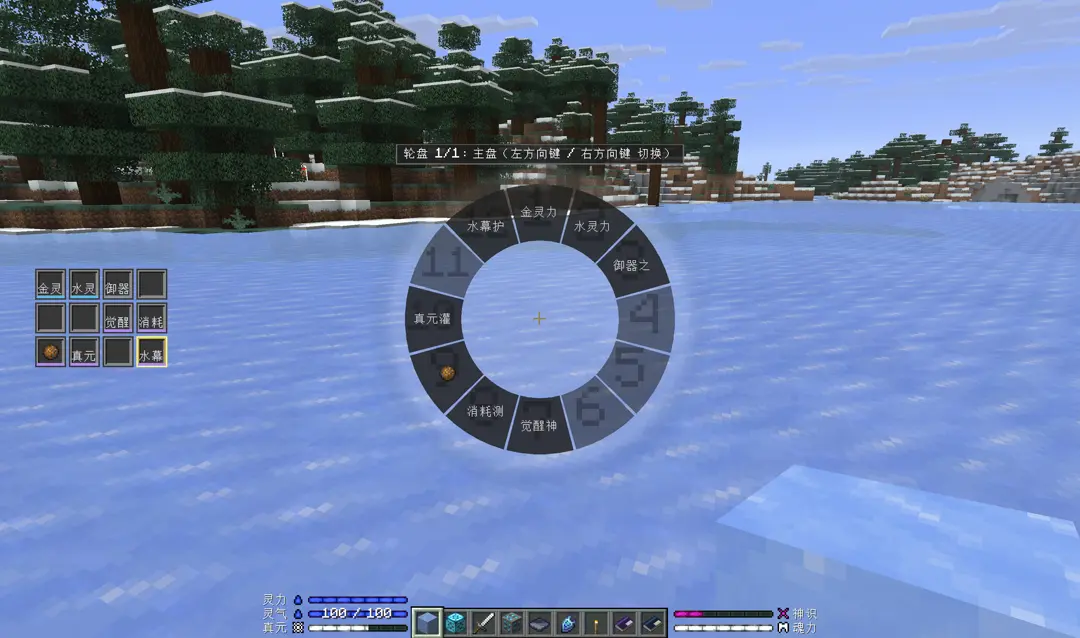
The wheel picks abilities and spirit power. The main wheel is the twelve cells you arrange yourself; the pages behind it are the abilities your gear gives you (what the main hand, the off hand and artifacts declare), and the left / right page keys or the mouse wheel turn between them.
Skills that need a key. Some skills only fire from a key, and they sit on the wheel like any other entry:
- A cast: an active ability you have learned (
mxt:active) casts once per press. - A targeted cast: a targeted skill (
mxt:targeted) is one full cast per press as well, except that it first marks out the entities it reaches with a selector (an area, a line or a cone, with the distance written in the definition) and then runs the payload ability it names on each of them. - Flight switch: once you have learned the flying skill (
mxt:flight_control, usually granted by a technique), that page gains a cell for it - pressVto take a flying artifact from the main hand and then the off hand and take off, press it again to land. - Storage: when an artifact declares storage slots, that page gains a "Storage" cell - press
Vto open the artifact's own box.
Wheel Configuration
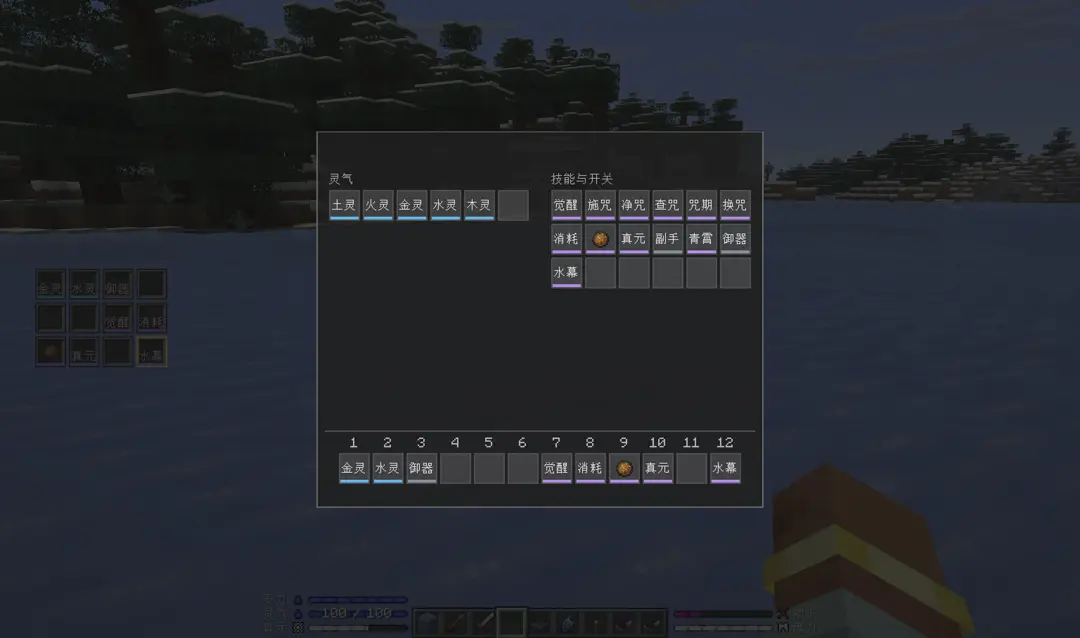
What sits on the main wheel is the player's own choice. Type /wheel in chat, or press "Open Wheel Configuration", to open the wheel editor:
- The top row is two pools of entries: six columns of spirit power on the left, six columns of abilities on the right (the skills the body was taught - by a technique, a spirit root, a physique or a realm - plus the skills the artifacts in the Curios slots declare; a skill that only a main-hand or off-hand item declares is not in that pool).
- The bottom row is twelve shared cells, the main wheel's twelve cells (
1is straight up, counting clockwise). Left-click an entry in a pool to pick it up, then click a cell to put it there; clicking a cell with nothing picked clears it. A filled cell has a coloured strip along its bottom edge saying which kind it holds (spirit power blue, ability gold; a skill that needs a key green or grey by its switch state, violet when it is a one-shot). - Only the main wheel is edited here: the pages behind it come from what you carry.
- A fresh save starts with an empty wheel: nothing is filled in for you, so put entries in with
/wheelfirst. With the whole wheel empty,Rdoes not open the wheel (there is nothing to choose), and the "Wheel Grid" on the left is four empty frames (one page's three rows). - A saved cell whose entry has gone away (a revoked grant, a deleted definition, a spirit power you can no longer pay for) shows a red
?and a tooltip that names what is missing. It is never swapped for something else: cells do not drift, and clicking the cell clears it.
Extending
Another mod can add its own abilities or spirit power to the wheel by implementing the WheelMenuEntry interface. The interface describes an entry: kind, ID, title, icon, tooltip, cooldown, usability and the callback for a selection. See the Java wheel page.